
Offline-First Case Study: Todoist
I'm a big fan of offline-first applications. I find that their technical difficulty is often worth it for a superior user experience.
In fact, I believe that most utility and productivity-focused applications should never rely on a (stable) Internet connection to function well.
ToDo One
Take the humble todo list for example. I use two in my day-to-day life. The first is Amazon Alexa Lists, which I mostly use, via Echo devices, in the kitchen and around the house to throw things onto a shopping list whenever the need arises. This used to sync with my primary todo app. All was well in the world.
Then in 2024, in Amazon's infinite wisdom, they decided to remove the ability to sync the Alexa shopping list with other applications. Since then, mainly for reasons of lack of willpower to find an alternative seamless solution, I've been using the Alexa app for my shopping list.
Oh boy...
Imagine standing in the middle of the supermarket waiting, like a lemon, next to the lemons, for a heavyweight app to fully load, make a tonne of network requests, navigate to the Shopping List, then require a stable Internet connection to load and refresh a few bytes of text. Well you don't have to imagine, just try to use the Alexa app.
Why do I still use it? Because it's still the easiest way to add items ONTO a list. But using and managing the list itself is a dreadful experience, especially when out and about.
ToDo Two
But my "primary" list app is a completely different experience altogether. It's the one I moved to after we said goodbye to Wunderlist.
It's called Todoist.
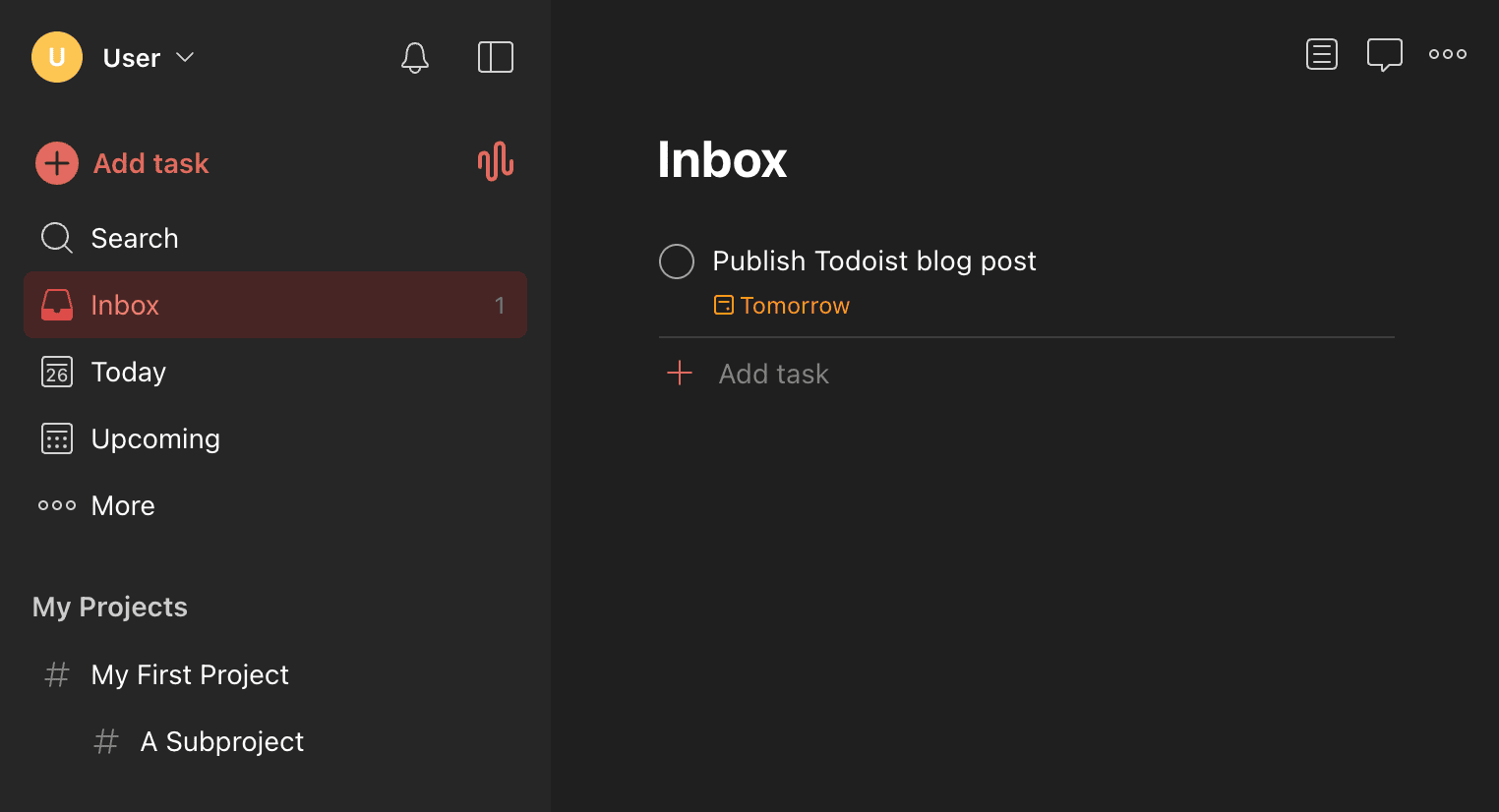
Now to be clear straight off the bat, I am not the biggest fan of Todoist as a business after they crippled their free plan... for a todo list app... that they're charging a whopping 7 effing pounds sterling per month subscription for...
Thankfully all my projects were grandfathered in so I can still use it for all my personal stuff, but I can't in any way recommend it to anyone for general personal use.
But what I definitely do respect is the implementation of their web application, which is actually a really nice, solid, offline-first experience.
Sync Engine
The first thing I notice when using the webapp is that it is fast. Interactions happen immediately. There's no loading spinner waiting for the action to complete on the server. No network to see here.
But obviously it's happening at some point.
Therefore let's take a look at how the sync engine behaves since we can observe that fairly easily. The good news is that they dog food their own developer API, which appears reasonably well documented (although I haven't written any integrations against it myself).
To start, I'm going to create a bunch of new tasks.
Pay particular attention to the network request timings, we'll get back to that shortly. But first lets take a look at the sync request itself.
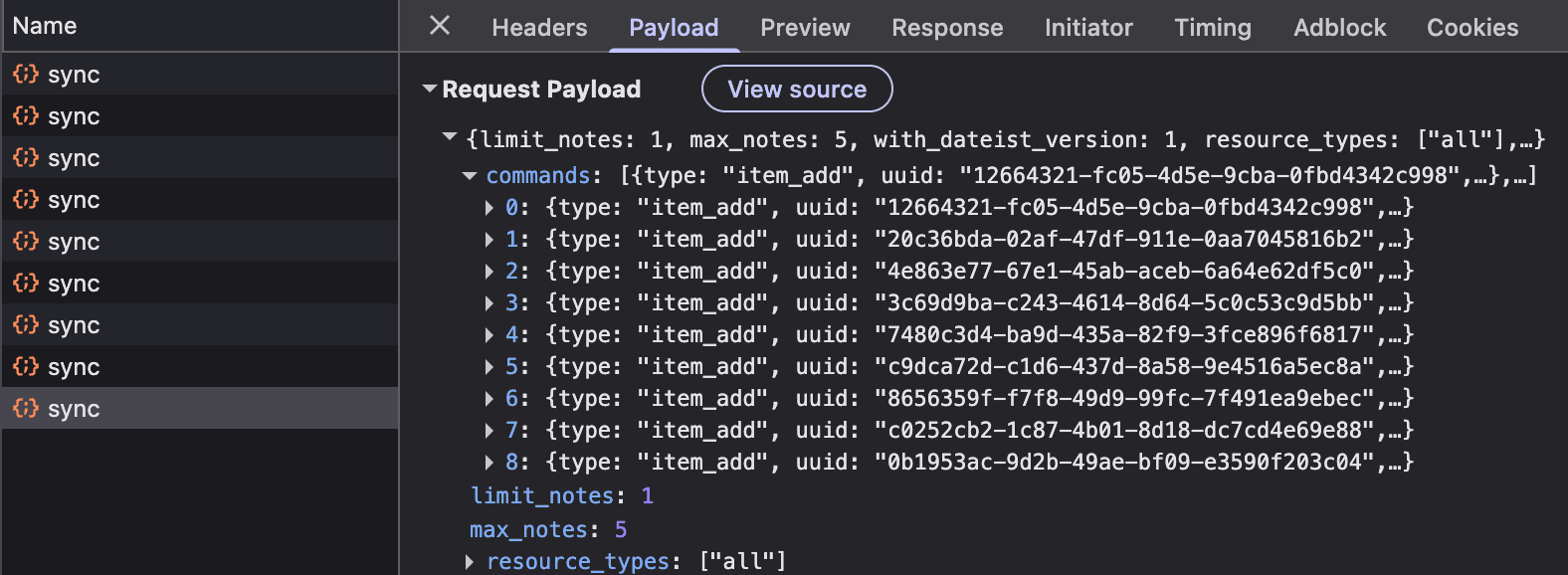
Each sync request is a collection of commands. Each command
represents some kind of change to a resource. Every resource needs
an ID, but IDs in Todoist are server-provided. So in the meantime,
we have a temp_id acting as the resource ID until we
can receive the authoritative ID from the server after we've sent
our command. The uuid is the ID of the command
generated by the client.
{
  "type": "item_add",
  "uuid": "48d54d2f-e609-47cb-902f-e2e4f8e451bf",
  "temp_id": "tmp-6486b0cb-f6b9-4853-b7f3-f9b9dc6f51aa-10951-1782504636020",
  "args": {
    "content": "1",
    "description": "",
    "project_id": "<project-id>",
    "due": null,
    ...
  }
}
Taking a quick look at a command (above), I notice they add the
software version 10951 and a timestamp to their
temp_id. In their docs they only give examples with
plain UUIDs, so I do wonder if these are for a particular purpose on
the server side. Whether for analytics or troubleshooting or some
other purpose, I don't know.
The main behaviour I want to point out is the number of
/sync requests made. We've made one sync request per
task created. This isn't totally unreasonable. We know this is
happening async so it's not blocking the interface, and sending an
incremental sync per action is the fastest way of sending an action
to the server.
But if we look at the requests, we can see that we've sent them so
fast that the commands haven't actually been processed in time for
the subsequent sync requests. So by the time our 8th task is added,
we've sent the 1st item_add command 8 times to the
server.
Our queued commands are kept in Session Storage, with their
temp_id and command uuid ready to go.
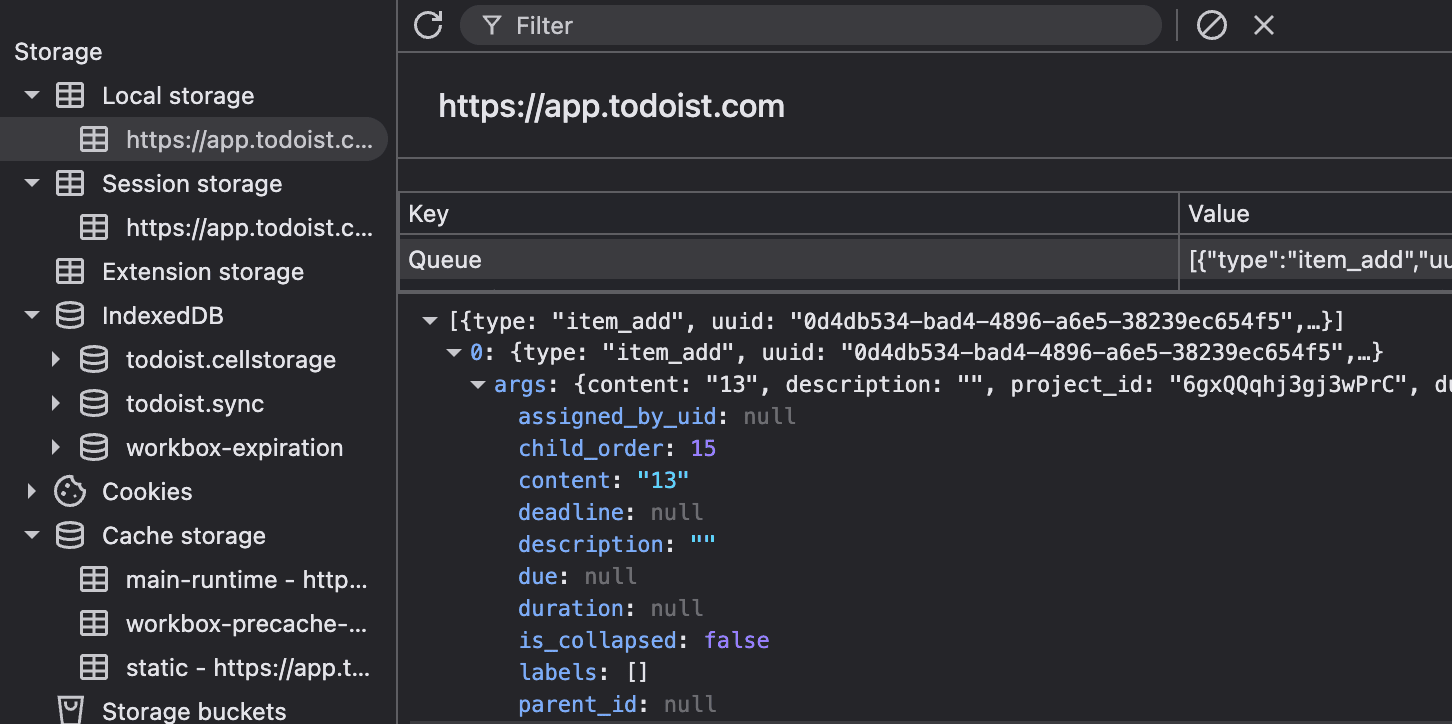
Updates to resources are sent as patches to the resource, only including the properties changed.
Storage
Having a nosey around the storage, there are only a few things that pique our interest.
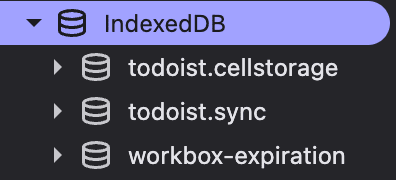
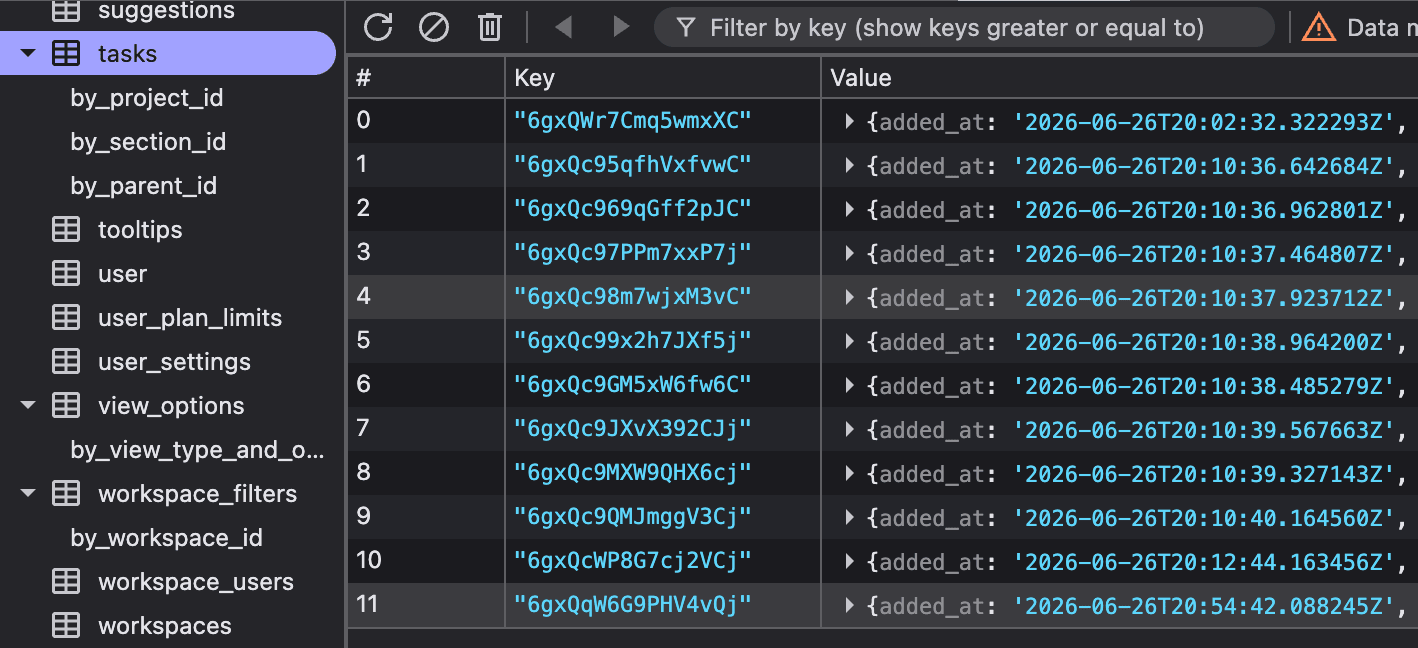
The todoist.sync database is where our synced resources
live. So once our commands have been committed by the server and
we've got the response back containing the full server
representation of the resource, it is stored here. It's a very
straightforward setup: one table per resource type and one row per
resource keyed by its ID (in this case, tasks), with the resource
seemingly matching the response from the API. The frontend likely
hydrates from this table on load.
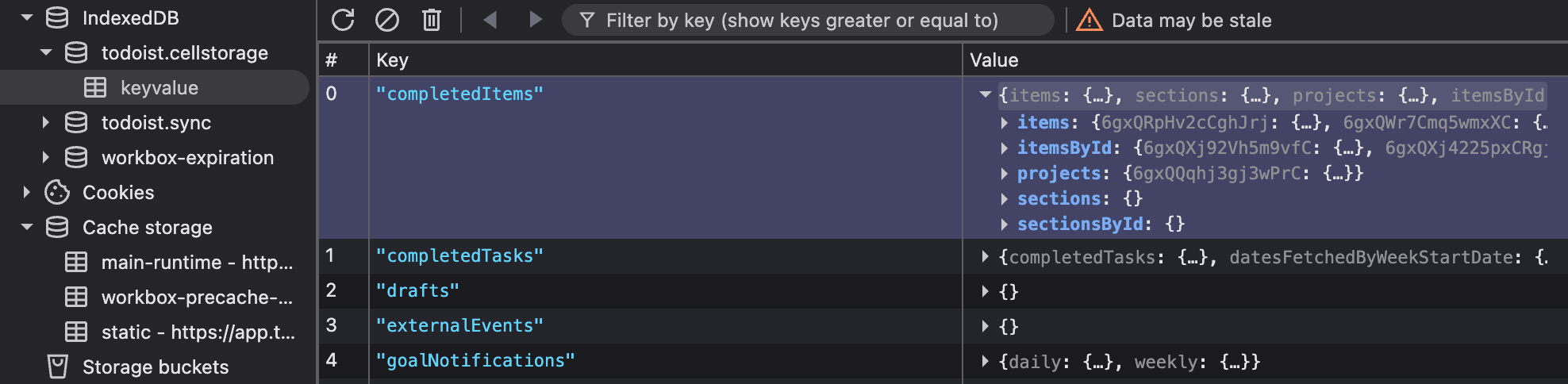
There is just a single table in
todoist.cellstorage called keyvalue, the
use of which I'm not 100% sure of, but the values appear to be
various projections of the sync resources.
Sync Flow
So the sync flow at a high level looks like:
- User performs an action in the app that results in the change of a resource
- That change is reflected immediately in the UI.
- A command that represents that change is queued to local persistent storage.
- An asynchronous sync request is triggered.
- The sync request includes all as-yet-unprocessed commands as its payload.
- The server commits the commands all at once (as indicated by the docs).
- Assuming successful commit, the server responds to the request with the full resource representation, including the new authoritative ID of the resource.
- The returned resource is stored in IndexedDB.
- (Speculation) The UI is updated to reflect the new server state, with pending commands applied on top.
Some questions I have about this process that my initial observations and the API documentation leave unanswered:
-
What happens when a command in a batch fails server-side? We can
see a
sync_statuson the response which includes the status of each command, but it's not clear if commands following the failure are still committed, or the whole batch is rejected, or something else. The docs state "changes can be batched into one commit" but it's a little open to interpretation. - How does the app handle a command failure and under what known situations does the app handle this without the user having to intervene?
- If you have multiple clients offline making different changes to the same property of a resource, what happens when they come back online? Last write wins?
-
We saw in our quick-fire example that sync requests are performed
immediately and asynchronously, which led to some later sync
requests resolving before earlier ones. How is the application
handling the situation of an older sync request resolving later,
such as being delayed by the network in the response? I didn't see
any command history in persistent storage to indicate that the
synced resources storage does not need to be updated. What is
preventing the
syncIndexedDB table from being updated with the stale resource representation?
I may take a deeper look into this at a later time as I can only speculate ideas against the black box. Reverse engineering the logic within the app itself is outside the scope of this post.
Review
I've only briefly looked at a very tiny sliver of the app, but the same sync process is used for all resource types across the app e.g. workspaces, projects, comments.
Whilst the command batch transmission is inefficient when there is a fast rate of change, it does ensure that the entire queue is processed as quickly as possible, with the trade-off of extra deduplication work required by the server. I would need to spend more time looking into how the client handles out-of-order sync requests.
In general, this is a solid, simple implementation of an offline-first sync engine.
I do think that the sync response time is slower than I would like. Admittedly I'm only presenting a small sample size, but by the time the requests started to reach 3 seconds just to create 8 barebones tasks, I start to think that maybe the batch processing is not as performant as it could be. This also starts to impact user experience because often you want to prevent the user from browsing away or closing the tab before the sync has completed.
Due to that, I do wonder whether they would be better off having an asynchronous sync endpoint if the responses are often going to take that long, but I suspect it would be better to focus on the server side instead.